2026 Coding Workflow
4 min readdevelopmentaiHow I use AI as a Dev
Separation of Concerns for Agent/Model Selection
When tools handle multiple task types in the development process with one agent, you get expensive token usage and subpar coding output. This is a result of bad coding practice. The context fills up quickly and this causes the subsequent code changes to become worse and worse (introducing more bugs).
It's much better to keep code edit agents small, dumb, and cheap where possible. They should only edit file contents that you provide and should not need lots of context for things like git history, docs or project structure.
The architect or chat agent should use a more expensive and smarter model to determine acceptances criteria, identify gaps and break down tasks. This is what you will use to get your idea or ticket into a workable requirement for your coding agent to execute. It also will need access to the most resources like docs, read access to API's, code, project structure, and more as needed.
This one is more of a personal preference but I like to have an agent specifically for creating red/green tests AND executing and troubleshooting said tests. Their prompt is very specific to not change functionality tests just because results failed but to instead flag me for review. This allows me to enforce higher code quality and not let agents hallucinate changes into the code base.
Model Usage and Performance Tracking
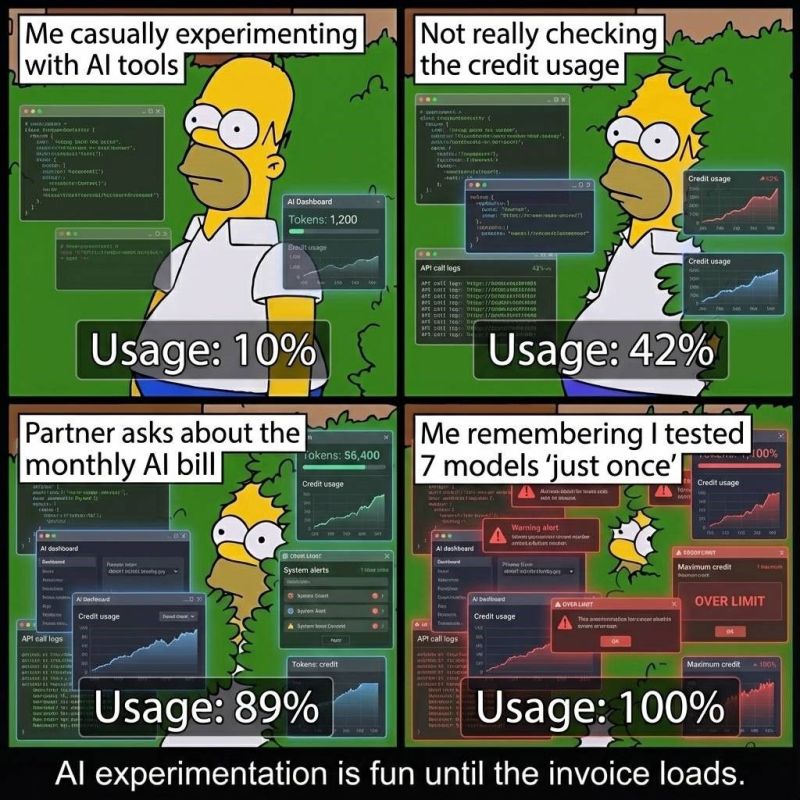
AI tools can get very expensive if youre not tracking it (especially if you're like me and like having 4+ agents running at a time). I like tools that provide a platform for performance and model usage monitoring. This makes it easy to see where I'm spending too much time/resources on certain development steps and where to improve. This is extra useful since my setup uses different models for different agents so I was easily able to see that I was adding way too much context to my coding agents (git history, local file structure, full session.md, way too many file content) when I really just needed one or two files and their contents and the task/initial prompt.
Common Features
- MCP integrations
- Skills/Profiles for agents
Other parts of my dev workflow
Automated Linting, Formatting, and Testing.
These should be set up ahead of time and automated in parts of your coding workflow (I do this in my pre-commit hooks). This is very unique to what you prefer to use but if you dont have a preference, just use the most popular one on github. Not much to say here.
PR Summary
This is an expensive but useful task that I use fairly often. It's expensive since it needs all the context of the git diff across multiple commits usually, my session file contents, and high reasoning to keep it short (AI loves to go on and on). I use a PR template to keep it following same format and checks.
Gaps and Risks
I often will add parts of my code base to a high lvl architect agent and have them review it and provide and gaps or risks that I should be aware of. If possible, I feed best practices vai specific doc pages to it and ask it to look for parts of my codebase that can be improved. This is nice and I really enjoy learning new things that I did not catch.
My thoughts on AI Assisted development
I was lucky in many ways across my career as a professional developer. Firstly, I started learning to code before AI was a thing (Shoutout Google for starting the meme race for AGI in 2017).

This gave me the luxury to get vague requirements (or usually random questions) about a system that no one documented or knows much about and having to get an answer or resolution ASAP. After years of doing this, I now have the confidence that I can get dropped in any system and be able to figure out what's going on eventually (ask me how long it takes a dev to be productive and efficient).
With this confidence and the MANDATORY AI training I've received over the years as a professional dev, I feel AI is a force multiplier on the scale of 2-4x in pure productive output. This spans across many areas of professional development, not just designing systems and writing code. AI is amazing at SOP generation, quick scripts for automating web pages, email summarizing, and a lot more. One caveat is, I try to be careful not to use AI where a human should. Think business decisions, deletion of resources, or worse of all, personal messages. Have I done these? Of course, I'm not Buddha.

Another way I've been lucky is my wife and one of my niche interests is developer workflow automation. I like working less with code. With AI exploding popularity of automations across many areas of professional development, I've gotten to try tons of tools and found lots of ways to reduce my workload and increase my output. Another caveat is I've also spent a lot of money to try all these tools. God I wish they were free. Be careful out there and try to use AI where it makes financial sense.
Enjoy this post?
Get dev tips, AWS insights, and project updates straight to your inbox.
No spam. Unsubscribe anytime.